
Honestly, calling it LeoChat stopped being accurate a long time ago. LeoMCP? LeoAgent? LeoHarness? It touches all of those capabilities, but none of the names quite fits, so I never changed it.
Open source: cybermanhao/LeoChat (MIT license)
When its predecessor started, coding agents had only just appeared (and since they were hard to buy from China, I hadn’t tried one yet). Today its functionality has long been covered by coding agents (who among agent-client builders isn’t being covered? ╮(╯▽╰)╭). It isn’t useless — it’s just really hard for one person to do better than a team full of elite engineers.
When the DeepSeek Harness was open-sourced, I decided to stop iterating on this project.
In terms of completeness, LeoChat is nowhere near dsh, and if I build something similar in the future I’ll probably start from a mature project like dsh and hack on it. But it is still the work I’m proudest of.
This post is about what it is and what it gave me.
If you’d like to try LeoChat, download the latest version from leo-releases, this site’s downloads page (Windows, unzip and run). If you need an API key for testing, email me at [email protected].
Before LeoChat
In May 2025 I was searching Bilibili for RAG videos when one suddenly showed up on my homepage. Its author was a Zhihu writer I’d been following for half a year — Jinhui (锦恢).
The video is here: Introduction to OpenMCP.
Worth mentioning: I got the very first view, which shows how deep my AI anxiety was back then (lol).
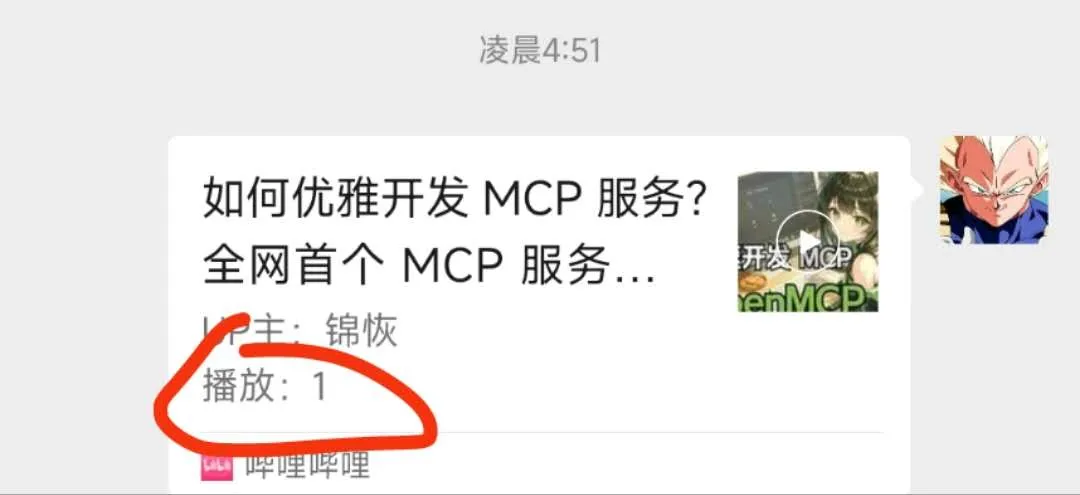
The video introduced OpenMCP, an MCP debugger that is much nicer than the MCP Inspector. I was thrilled: it was the first time I had ever heard of the MCP concept, and I found it utterly fascinating. It was also the first time I realized AI could be plugged into an application this easily. I immediately built a Yu-Gi-Oh! RAG knowledge base and connected it to OpenMCP through MCP.
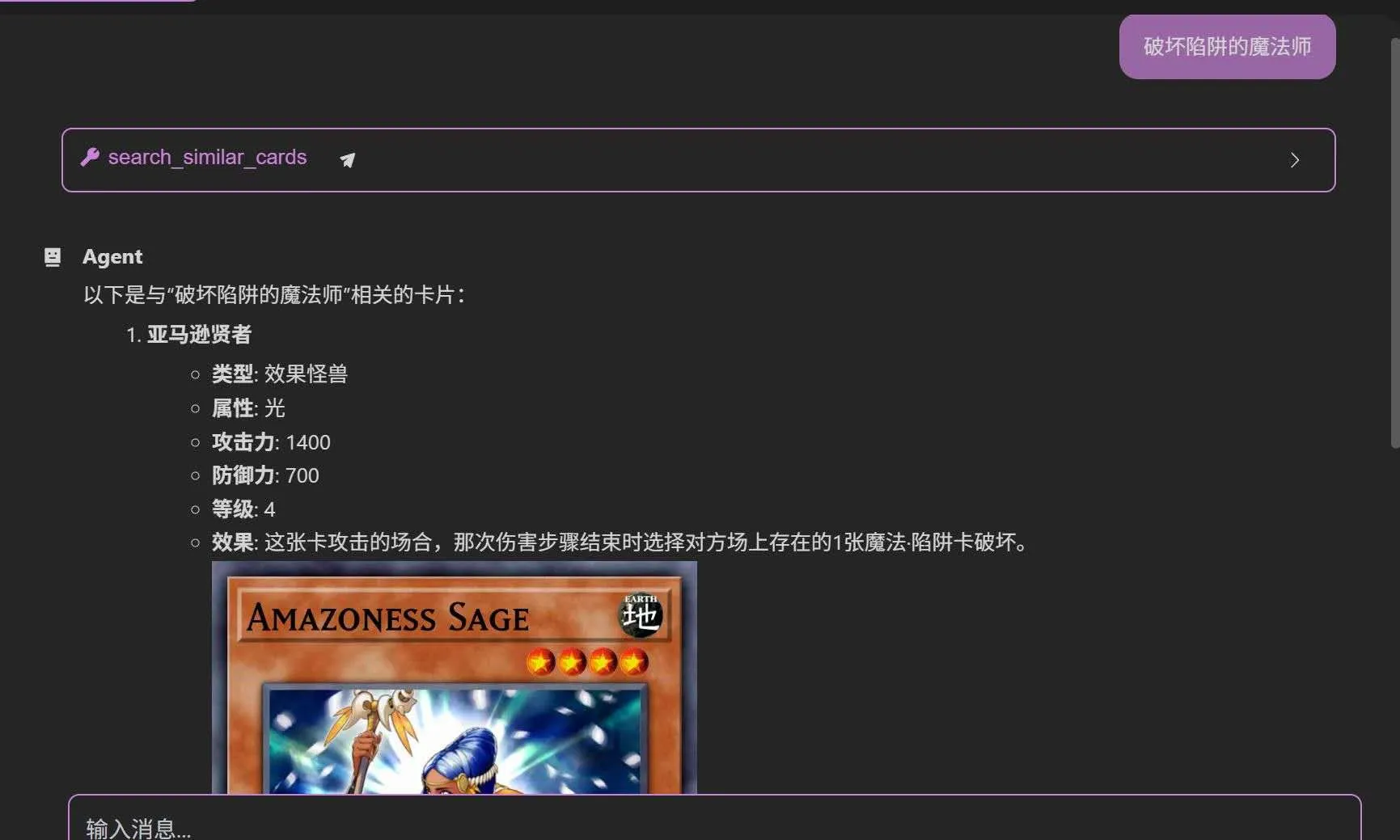
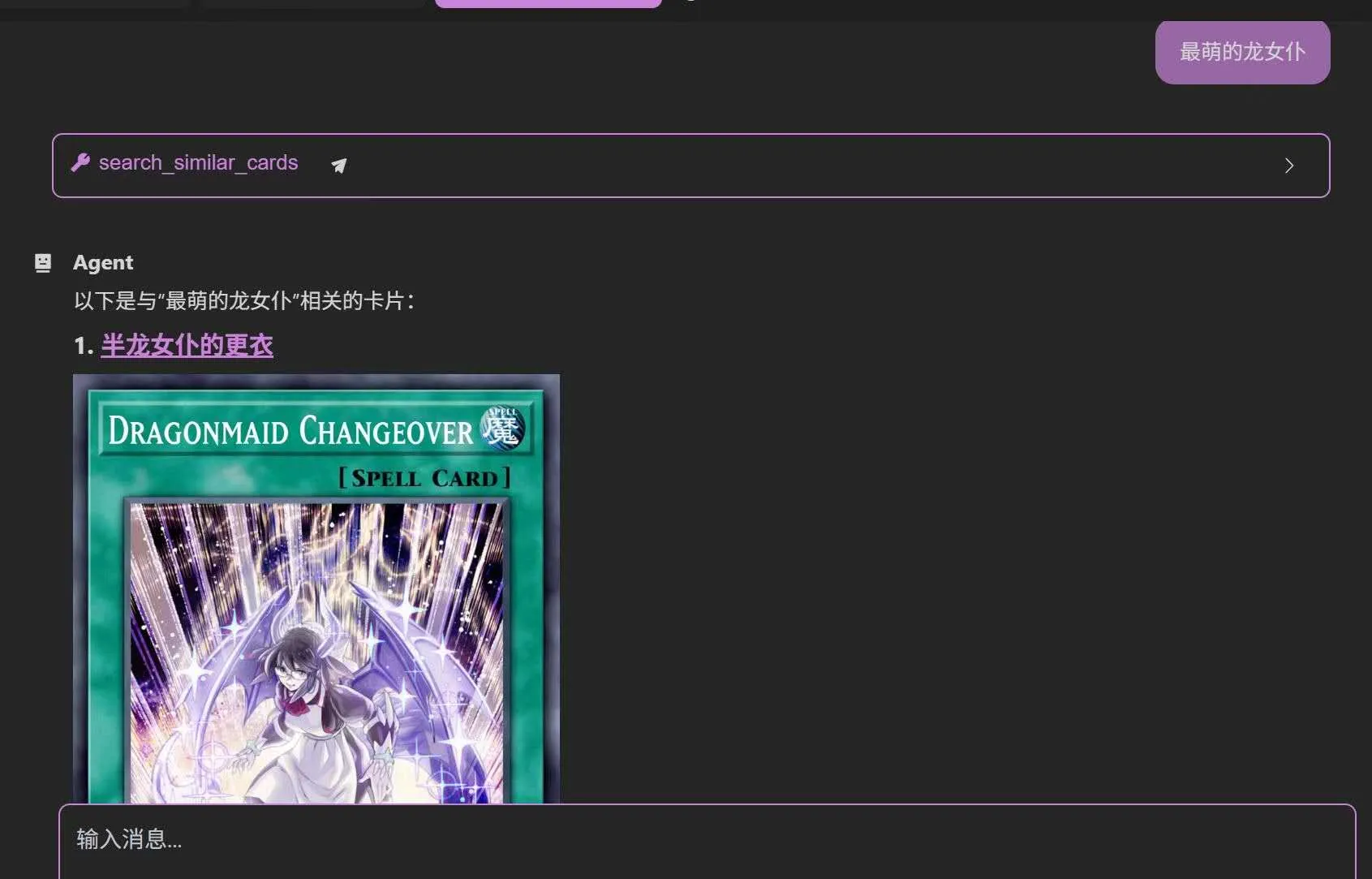
My company at the time happened to be building an AI customer-service system, and I proposed an MCP + RAG approach: a standalone Node.js service, with other colleagues doing the front end and integrating with the old system, and MCP Servers added over time for data and text queries (thanks to the company for letting me try this).
The project went smoothly. Outside of that task, I became more and more fascinated by OpenMCP. I wanted to read its code and build something similar myself.
I knew OpenMCP was a debugger, but just “connect to MCP and call tools” was already stunning enough.
It was only much later that I calmed down and thought about what it really meant (agent trajectories? data flowing back? a data flywheel? We still don’t know what Jinhui was thinking back in March 2025).
Fueled by that shock, I felt I had to build my own client right away! So I wrote LeoChat’s predecessor, zz-ai-chat, the old-fashioned way — by hand.
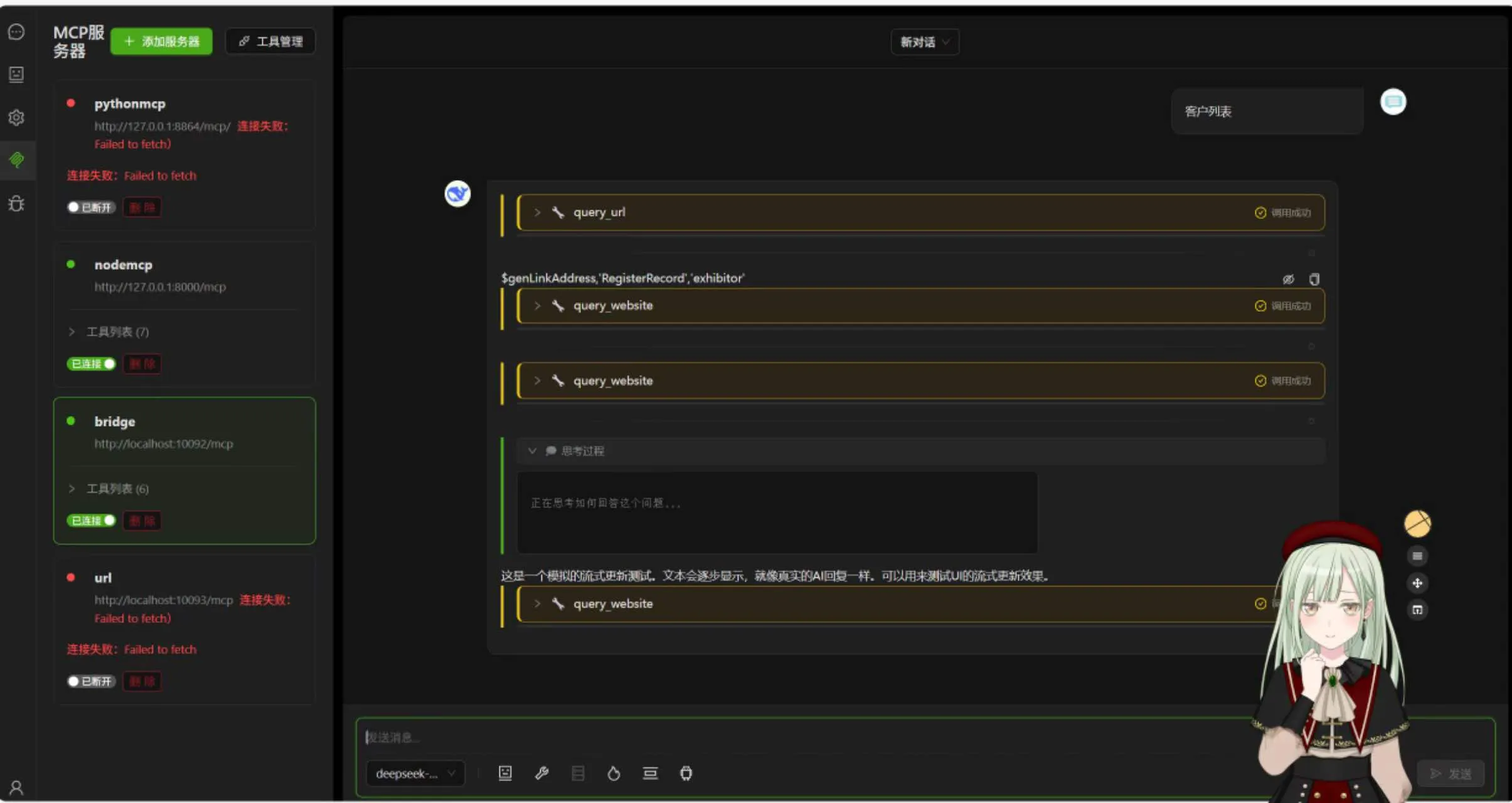
But in the second half of 2025 I gradually started using Cursor, Copilot and Claude Code for automated iteration. On top of that, zz-ai-chat had, for the sake of showing off, four build configurations targeting different outputs, and the project became hard to maintain. After a short pause (I’ll go into that in another post), I began the rewrite.
Starting over: what did I want?
When rewriting, I set myself a few very narrow goals:
- Smooth and reliable: multi-round tool calls and streaming output must be smooth, feedback fast, and error handling thorough.
- Explore how LLMs change interaction: an LLM shouldn’t only output text and call tools — I also wanted it to take over UI interaction.
- Electron first, other modes second: I agonized over web-first versus Electron-first. The web is where SaaS shines, but I couldn’t give up the local capabilities Electron provides (to get the same on the web you’d roughly choose between cloud services like GCP and sandboxes — I’ll write about that some day), so in the end Electron became the main target.
What LeoChat can do
It’s first of all a chatbox with MCP (which was the project’s original positioning and now doesn’t look cool enough anymore), and it can flexibly connect to all kinds of general MCP tools.
The built-in MCP Servers include: file system (Filesystem), knowledge-graph memory (Memory), web fetching (Fetch), Excel read/write, Word read/write, browser automation (Playwright), and Everything for testing.
But I added something special on top, and that’s what makes LeoChat different from other clients.
Using AI to control the UI
Switch theme colors, even resize the window — an eye-opening effect (literally):
The AI can also render cards — for example a business card, a product card, or even an interactive component with buttons:
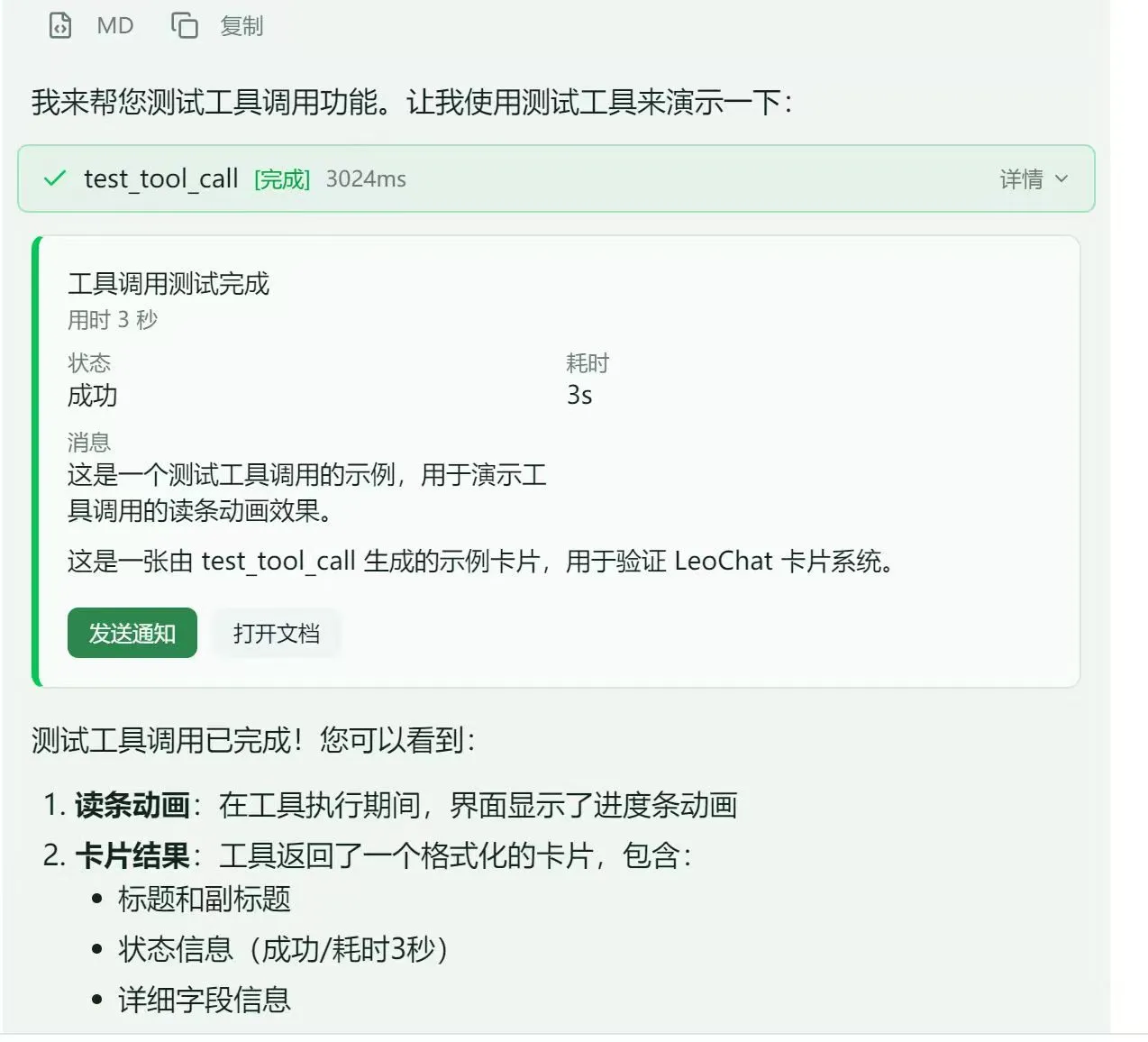
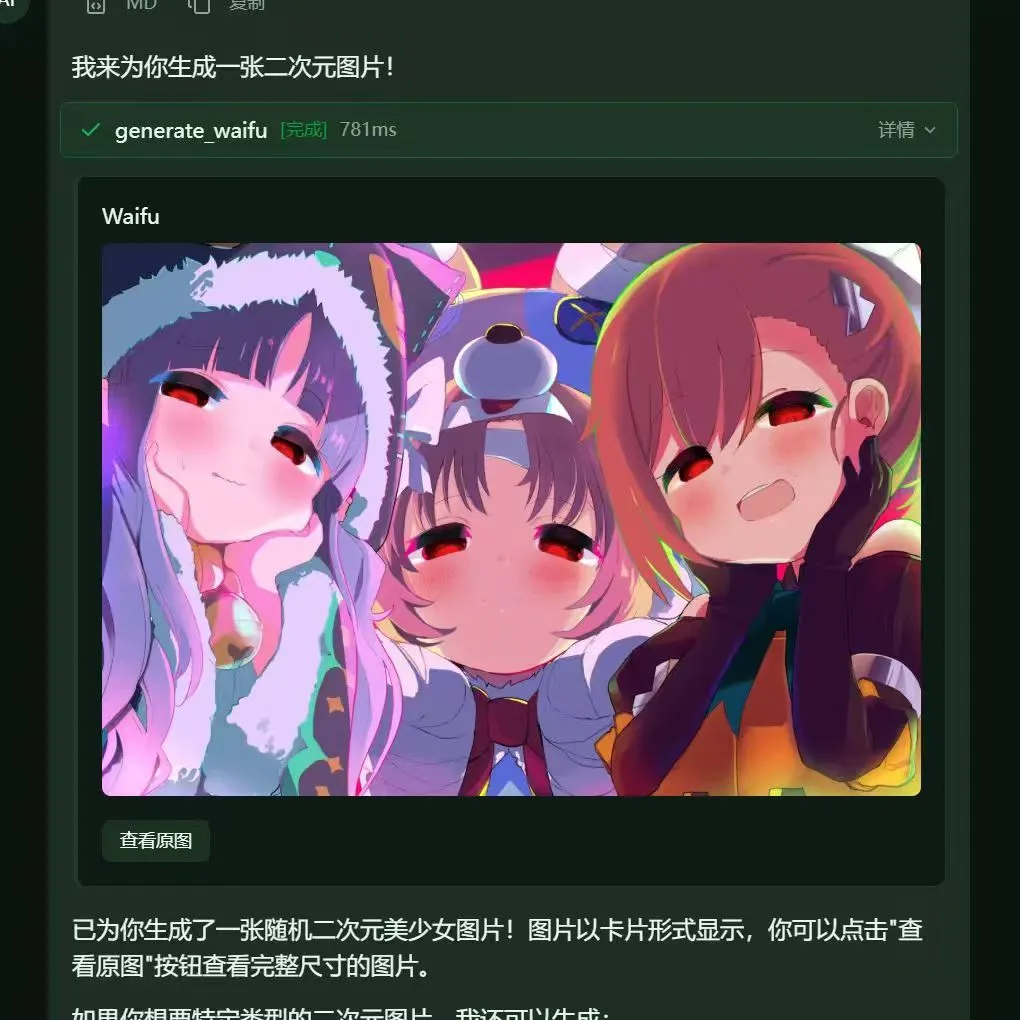
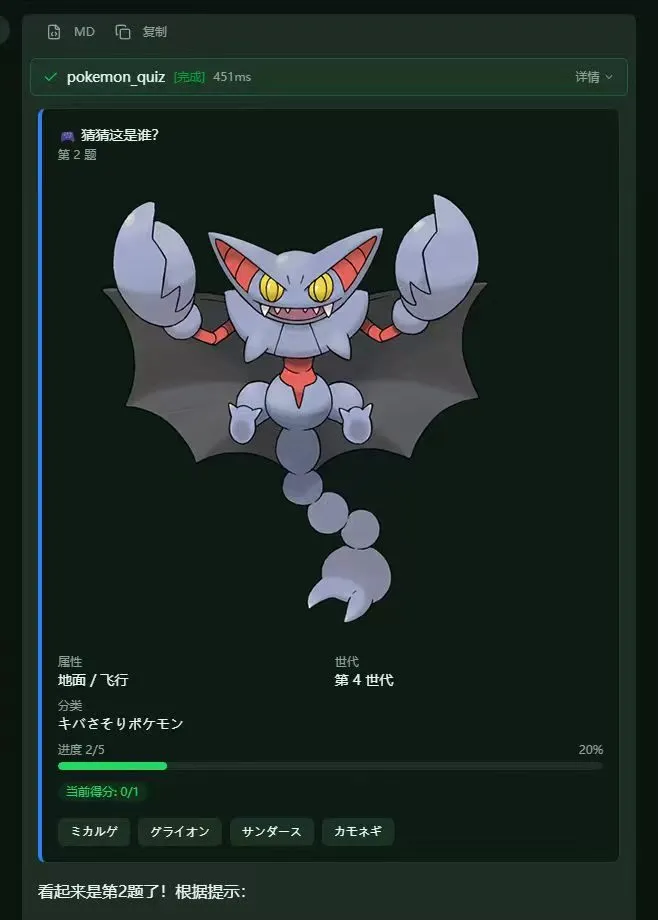
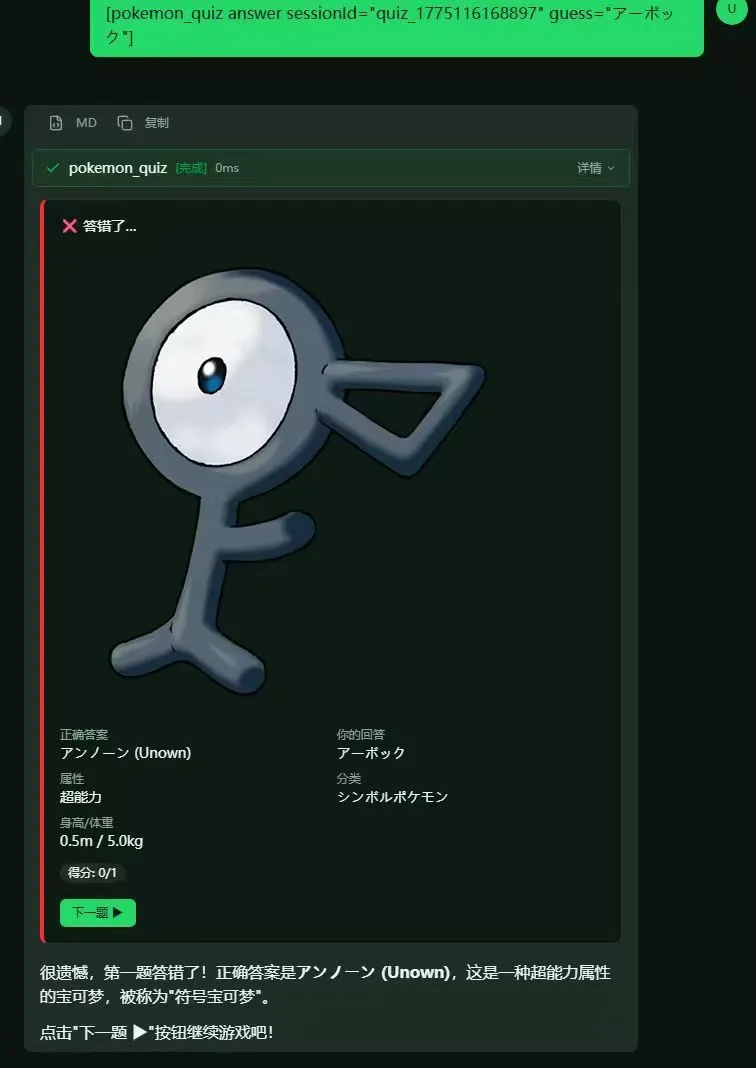
I didn’t use Vercel’s open-source stream-ui here (more on that some day); I built my own.
Taking it apart: the two things unique to LeoChat
Chat, streaming output and tool calls exist in other clients too. What I really put thought into are the two things demonstrated above: UI commands and the card system.
UI commands: letting the model reach out and “press” buttons
The theme-switching and window-resizing effects rely on a very plain convention.
The built-in leochat-mcp is no different from any other MCP Server — the model uses it through standard tool calls. The difference is that its tools don’t read files or query data; they return a small piece of JSON:
{ "__ui_command__": true, "command": "update_theme", "payload": { "themeId": "dark-purple" }}When the front end sees __ui_command__ in a result, it looks up the handler with the same name in the command registry and runs it.
There are currently 11 registered commands:
update_theme,resize_window: switch theme colors, resize the Electron window;show_notification,show_confirm: show a notification or a confirmation dialog;open_panel,close_panel: open or close side panels;set_input,scroll_to_message,copy_to_clipboard,open_url: edit the input box, jump to a message, copy, open a link;send_message: send a message on the user’s behalf (it comes up again with cards).
The benefit is that neither side depends on the other: the MCP Server doesn’t need to know what the front end looks like, and the front end doesn’t care which model issued the command. To add a capability, you add a name to the type table and write a handler.
I did give it one rule, though: leochat-mcp must not grow into an all-purpose interface for remote-controlling the whole front end.
I can picture how that ends: boundaries get blurrier, the protocol keeps piling up, every command becomes a fragile contract, and eventually nobody can maintain it. So it keeps only small “host-level” actions — anything that has to present content or ask the user to choose goes to cards.
The card system: LeoCard
At first, LeoChat’s cards were built by parsing text tags (<card />) out of the model’s output.
I quickly realized this wouldn’t work: if the model gets one bracket wrong, the card breaks; and after a button is clicked, you can only guess the intent from a conventional text format.
So I redesigned it as a structured card protocol with a single principle: a command is not content.
ui-commandis for “actions”: switching the theme, opening a panel — one-off side effects;cardis for “content”: a product summary, render progress, a two-way choice for the user — things drawn into the chat history.
A card’s structure is small and easy to compose:
{ "id": "card_1", "kind": "summary", "title": "Wireless earbuds", "tone": "info", "body": [ { "type": "image", "image": { "url": "https://…/earbuds.jpg" } }, { "type": "fields", "fields": [{ "label": "Price", "value": "$29" }] }, { "type": "badge", "badge": { "text": "In stock", "tone": "success" } } ], "actions": [ { "id": "buy", "label": "Add to cart", "kind": "primary", "action": { "type": "ui-command", "command": "send_message", "payload": { "text": "Add this to my cart" } } } ]}kinddecides the overall style:summary,media,list,status,review,error. The field is open: external tools can invent their own names, and unknown kinds fall back to a plain summary style;bodyis a set of building blocks: text (Markdown supported), key-value pairs, a single image, multiple images, a progress bar, a badge, a divider;tonehas five values: default, info, success, warning, error;actionsare buttons. A click is dispatched to one of three targets:ui-command(run a host command),agent-event(dispatch an event to the host app),link(open a link). Dangerous actions can carryconfirm, which shows a confirmation before the click takes effect.
The data flow is straightforward too: the tool returns a result, the front end parses the JSON, extracts the MCP result envelope, normalizes it into a LeoCard, and hands it to the renderer as a content item in the message.
No new transport channel is needed: any MCP Server — built-in or third-party — can draw a card in the chat just by returning this format.
Looping cards and conversation
What makes cards fun is that a button can use the send_message UI command to send a message to the model on the user’s behalf.
That creates a closed loop:
user asks → model calls a tool → tool returns a card→ card shows buttons → user clicks→ send_message sends the intent to the model → model calls the next tool → …I built two standalone demo Servers with it, also in the repo:
- pokemon-quiz: a guess-the-Pokémon mini-game. Each question is a card with an image and four option buttons; clicking an option submits the answer, and “Next” moves on.
- ecommerce: a complete shopping flow. Search products, view details, add to cart, place an order, pay, track the shipment — every step is a card, and the buttons drive the flow forward.
While building pokemon-quiz I hit an interesting pitfall: once the card was displayed, the model couldn’t resist “answering its own question” — analyzing the options or even announcing the answer.
The fix was to add an instruction only for the model to the tool’s return value (llmInstruction): “Just show the card above, don’t analyze the options, let the user click a button to answer”.
It also taught me that in generative UI, the UI is for people and the instructions are for the model, and the two have to be designed separately.
The built-in generate_waifu is the simplest card example: it returns a media card containing a few randomly generated images.
Built-in MCP: a toolbox that works out of the box
The most discouraging step of any MCP client is making users install Node, install Python and edit JSON themselves.
So when LeoChat starts it automatically connects to a set of built-in MCP Servers, and the packaged build even handles the runtime paths, so on Windows you just unzip and go:
| Server | What it does |
|---|---|
| LeoChat (own) | UI control: switch theme, resize window, show notifications/confirmations, open/close panels, edit the input box, copy, open links; also a bash tool to run commands (dangerous ones like rm, format and shutdown are rejected outright), and generate_waifu, which generates anime images and returns them as a card |
| Filesystem | Read and write local files, list directories, search files |
| Memory | Knowledge-graph long-term memory that remembers entities and relations across conversations |
| Fetch | Fetch web content and convert it into text that models read well |
| Excel | Read and write Excel spreadsheets (on Windows it is packaged as an executable, no Python needed) |
| Word | Read and write Word documents |
| Playwright | Browser automation: open pages, click, fill forms, take screenshots |
| Everything | The official MCP reference implementation, used to test protocol features |
Combined, a single sentence can run a small workflow, for example “fetch this page, put the tables into Excel and save it to the desktop”.
Beyond the built-ins, you can add any third-party Server in the MCP settings page, over either Stdio or Streamable HTTP.
The law edition is the same base with an extra legal knowledge-base MCP added.
The rest of the infrastructure, briefly
These are unavoidable parts of building a reliable agent client, and where I spent the most time, but they aren’t unique to LeoChat, so just a few words:
- TaskLoop: the biggest file in the system. It calls the model round by round, runs tools and feeds the results back. A few details need handling yourself: streamed tool-call arguments have to be reassembled into complete JSON by
index; a task runs at most 50 rounds to prevent infinite loops; any single tool result over 3000 characters is truncated; and a checkpoint is saved at the end of each round, on pause or on error, so it can be resumed. - Model adapter layer: supports OpenAI, OpenRouter, Anthropic, DeepSeek, Kimi, Gemini and any compatible endpoint. Default URLs, auth headers and streaming formats all differ; the adapter layer hides the differences and exposes a unified interface. Mature community solutions exist for this layer now, but writing it myself made me understand each OpenAI API parameter much better, which is more useful than any documentation when debugging.
- Reliability layer: retries with exponential backoff plus full jitter, an independent timeout per attempt, and a circuit breaker that “opens” after consecutive failures. It’s the same idea I later used for integrating external platforms in neo-studio: external systems will fail, so design for failure.
A project’s fate depends not only on personal effort, but also on the course of history
What first made me feel lost was OpenClaw. It captured the attention of non-technical users at the fastest speed, and its focus was on the messiest part of the work: the gateway.
Honestly, as a standalone chat application LeoChat has no commercial value today. General-purpose agents like Claude Code and Codex are already very mature, far more polished than anything one person can build.
But it left me with a few things:
- This blog’s AI assistant: click here to chat with it, or use the “About” page above (on mobile, open the menu with the three-bar button). I wrote that assistant in three spare-time days, and it’s something like my stand-in. It took only three days because I’d spent two months on LeoChat figuring out the agent loop, tool calls and card-based UI. ps: the blog’s AI assistant can also make your “eyes light up” — give it a try.
- An understanding of the protocol layer: MCP’s transports, streaming assembly of tool calls, checkpoints and recovery — things I only really learned by building them once; reading docs can’t replace that.
- A set of habits for dealing with unreliable external systems: adapters, retries, circuit breakers, designing for failure. When I later built the integration layer for neo-studio, I used almost exactly the same approach.
- The law edition: a branch of LeoChat that uses RAG to build a Chinese-law knowledge base, currently used by a legal professional to draft documents. If you’d like to try it, email me too.
Final thoughts
This is the most complex and complete personal project I’ve built so far (as of September 2026), and I built it purely out of passion for “landing AI in applications”. Along the way I gradually understood the meaning of OpenMCP and even began studying AI infrastructure; with the help of the open-source community, my technical horizons grew very quickly.
I think the question LeoChat ran into — what is the point of an agent client? — is one every agent developer will meet. Especially when you try to use your own agent day to day, you can’t help asking yourself: why don’t I just use Claude Code? But the experience of building an agent client, an agent runtime, is the indispensable part of my technical journey so far.
LeoChat isn’t an endpoint, it’s a starting point.